Showing posts with label Cheat Codes. Show all posts
Showing posts with label Cheat Codes. Show all posts
Download Videos from Youtube --- The Pirated Way

Here is the easiest way to download any video from Youtube.
While playing the video on youtube.com, Copy its location from the address bar like www.youtube.com/watch?v=sasad1212dms2
then add the word ‘ kick’ between www. and youtube.com/link.
or add the word 'kiss' between www. and youtube.com/link.
EXAMPLE: www.kissyoutube.com/watch?v=sasad1212dms2
That’s it, Download without any other software or going to any other site, as their are many tricks......................
The Pirated Intelligence #
Boost Your Firefox Speed - Hackers' Way

# FireFox is faster and can be modified to be even faster with broadband connections.
# FireFox is safer. Since it is not integrated into the operating system it is harder for malicious code like spyware to attack it.
# As a backup for troubleshooting in the event Internet Explorer has a problem
1.Type "about:config" into the address bar (without quotes) and hit Enter.
Scroll down and look for the following entries:
* network.http.pipelining
* network.http.proxy.pipelining
* network.http.pipelining.maxrequests
Normally the browser will make one request to a web page at a time. When you enable pipelining it will make several at once, which really speeds up page loading.
2. Alter the entries as follows:
* Set "network.http.pipelining" to "true"
* Set "network.http.proxy.pipelining" to "true"
* Set "network.http.pipelining.maxrequests" to some number like 50.
This means it will make 50 requests at once.
3. Right-click anywhere and select New-> Integer. "nglayout.initialpaint.delay" and set its value to "0".
This value is the amount of time the browser waits before it acts.
Be Pirated !!!
How To Change Windows Product Key After Install
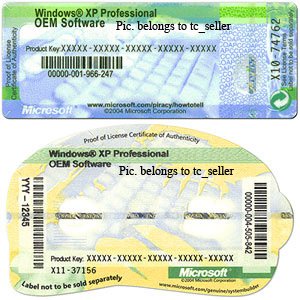
Do you need to change your product key so you can activate Windows Vista or Windows 7 properly? You can use a great command line tool that will help you do this very easily. Just follow these steps:
1. Click on the Start Button and type in command prompt so that it shows up on your start menu search list. Right click on the Command Prompt shortcut and select Run As Administrator.
2. At the administrator command prompt, type in "slmgr.vbs -ipk
3. To activate windows after changing the key, run "slmgr.vbs -ato"
Note- This will only reset the Windows Vista activation timer. Everything else will remain the same.
Lifetime Crack --- Eset NOD32 Antivirus 4.0.314

When you crack NOD32 you can use it forever, to update you don’t need username and password.
THIS WILL ALWAYS KEEP THE PROGRAM FOR 31 DAYS FOREVER.
Download Link Is Here :
Download links:
http://hotfile.com/dl/77341247/3210a2b/NOD32.AV.4.0.314.rar.
http://hotfile.com/dl/77341247/3210a2b/NOD32.AV.4.0.314.rar.
AVG Internet Security 2011 + Key

Complete protection for everything you do! With AVG Internet Security, our most advanced protection, you get a worry-free online experience every time. This award-winning product gives you unbeatable Internet security by protecting against viruses, spyware, hackers, spam and malicious websites. AVG Internet Security is a reliable and easy-to-use solution for home and small office users which is trusted by millions of users worldwide. AVG Internet Security's multiple layers of protection mean you don't have to worry about identity theft, spam or viruses. And it'll even prevent you from accidentally visiting harmful sites. It's faster, smarter security that won't slow your computer down.
When you install AVG Internet Security, every one of these features is fully-functional - there's no need to do a thing.
1. Extract files
2. Install setup
3. Use serial for registration
File Size 140 MB Approx.
Download Link 1:
Click Here To Download From HotFile
Download from Link 2:
Click Here To Download From FileServe
Be Pirated !!!
Now...Shake Your Internet Explorer :-)

::
javascript:function Shw(n) {if (self.moveBy) {for (i = 35; i > 0; i--) {for (j = n; j > 0; j--) {self.moveBy(1,i);self.moveBy(i,0);self.moveBy(0,-i);self.moveBy(-i,0); } } }} Shw(6)
Now, press enter and watch your window's "shaking it".
Reinstall Windows XP in a Different Mode !!!

But there is way to keep all of them as it as before means as before they installed or execute.
:-)
These are some steps to keep ur personal data recors documents songs and anything safe N secure while Installing Windows........
Follow these Steps and also aware about these steps which are mentioned below :)
1. First of all remind ur First boot device should not be CD-ROM.. Make it anything else but not CD-ROM.
2. Start ur PC and Insert ur XP CD in CD-ROM.....
3. Go to Command prompt.........
4. Open ur CD-ROM Drive :) e.g- G:>(Suppose ur Drive is G)
5. Then type cd i386 and press enter and then again type cd i386 then again enter
6. And now type “WINNT32 /unattend” in command prompt
7. Press Enter Now u will see that Windows is setting Up and start Installing it self with out creating any problem to ur exiting and installed data N record of ur PC.
Uninstall and Reinstall MS Paint in Windows XP

You require the Windows XP CD-ROM to reinstall the Windows components such as Paint
* Click Start, Run and type control appwiz.cpl,,2
(or, use Add/Remove Programs applet, Add/Remove Windows Components)
* Double-click Accessories and Utilities
* Double-click Accessories
* Uncheck Paint and click OK, OK...
* Click Next...
Windows will now uninstall Paint brush. Now, To reinstall it...insert your Windows XP CD in the drive and repeat the above procedure, but enable the Paint entry in the 4th step and click Next. The required files are extracted from Windows XP CD-ROM and Paint is now reinstalled.
How to Download Google Maps for Offline Use !!!

If you’ve ever wanted to be able to download Google Maps data for offline use, you should check out gmapcatcher, a cross-platform application that caches map segments locally.
There’s both a GUI version and a command-line version that you can use to pull down the maps data. The whole thing is written in Python, but the installer should handle everything for Windows users. If not, install Python and try again.
Download from here
gmapcatcher [Google Code]
Create Password Recovery Disk In Windows XP

Take preventive measures against losing user-level passwords.
It doesn't matter if you never again remember a Windows user password. Thanks to XP's Forgotten Password Wizard, your conscience will be free and clear -- should your mind happen to accidentally misplace your user password.
I highly suggest you create a password recovery disk the minute you create your user account. Why? In order to create a password recovery disk you're going to need your password. Write it down the minute you create your user account and then proceed to creating your very own password recovery disk.
Here's how to launch the Forgotten Password Wizard:
Single-click Start menu, Control Panel, and User Accounts.
Click your user account name.
Under Related Tasks on the left, click "Prevent forgotten password" to launch the wizard.
Now that you've launched the wizard, let it walk you through creating the recovery disk. Make sure the disk you use is formatted and in the drive. After it's finished creating the disk, label it and stash it away for an emergency.
If you happen to forget your password, all you need to do is click your user icon at the logon screen. Even though you don't have your password, go ahead and click the green arrow just like you would to finish logging on to your computer. This will launch a little yellow dialog box directing you to use your password recovery disk.
How to Trace Any IP Address
I will show you how to trace any IP address back to it’s source. In fact tracing an IP address is very simple and easy than we think. There exists many websites through which you can trace any IP address back to it’s source. One of my favorite site is ip2location.com.
Just go to http://www.ip2location.com/demo.aspx and enter the IP address that you want to trace in the dialog box and click on “Find Location”‘. With just a click of a button you can find the following information for any given IP address.
1. Country in which the IP is located
2. Region
3. City
4. Latitude/Longitude
5. Zip Code
6. Time Zone
7. Name of the ISP
8. Internet Speed
9. Weather Station
10. Area Code and
11. Domain name associated with the IP address.
A sample snapshot of the results from ip2location.com is given below ::
You can also visually trace route any IP address back to it’s location. For this just visit http://www.yougetsignal.com/tools/visual-tracert/ and enter the IP you want to trace in the dialog box and hit the “Proxy Trace” button. Wait for few seconds and the visual trace route tool displays the path Internet packets traverse to reach a specified destination.
Uninstallers (removal tools) for Antivirus Softwares

It is important that any previously installed antivirus software must be uninstalled from your system before installing your New security product.
Typical uninstallation using the Windows removal tool (Add/Remove Programs) is often insufficient.
Avast:
http://files.avast.com/files/eng/aswclear.exe
Avira:
http://www.avira.com/en/support/kbdetails.php?id=135
AVG:
http://www.avg.com/ww-en/download-tools
BitDefender:
http://kb.bitdefender.com/KB333-en--How-to-uninstall-BitDefender.html
CA:
http://homeofficekb.ca.com/CIDocument.asp?KDId=3125&Preview=0&Return=0&GUID=DF325E0AA0AB4264AF47E4BEA49F571B
CounterSpy:
http://www.sunbelt-software.com/support/VC/CS&VClean.exe
F-Secure:
http://www.f-secure.com/kb/2109
Kaspersky:
http://support.kasperskyamericas.com/knowledge-base-article/1464
McAfee:
http://download.mcafee.com/products/licensed/cust_support_patches/MCPR.exe
Panda:
http://www.pandasecurity.com/resources/sop/UNINSTALLER_08.exe
Symantec (Norton):
ftp://ftp.symantec.com/public/english_us_canada/removal_tools/Norton_Removal_Tool.exe
Trend Micro:
http://esupport.trendmicro.com/support/viewxml.do?ContentID=EN-1037161
Webroot:
http://support.webroot.com/cgi-bin/webroot.cfg/php/enduser/std_adp.php?p_faqid=1761
Windows Live OneCare:
http://download.microsoft.com/download/4/c/b/4cb845e7-1076-437b-852a-7842a8ab13c8/OneCareCleanUp.exe
Legal Notice On Start-Up ::

A LEGAL NOTICE ON STARTUP
Tell your friends about the do's and dont's in your Computer when they login in your absence.
FOLLOW THESE SIMPLE STEPS:
START-> RUN -> REGEDIT
HKEY_LOCAL_MACHINE\SOFTWARE\Microsoft\Windows\CurrentVersion\policies\system
"legalnoticecaption"="enter your notice caption"
"legalnoticetext"="enter your legal notice text"
Online Virus Scanner !!!!

The following websites provides you a Free Online Virus Scanner. The websites let you choose which file or folder you want it to scan through it and see if it finds virus or others malware inside.
Be Ensure That....THEY ARE NOT ACCURATE
http://housecall.trendmicro.com/
http://www.bitdefender.com/scan8/ie.html/
http://www.kaspersky.com/scanforvirus/
http://support.f-secure.com/enu/home/ols.shtml/
http://virusscan.jotti.org/
http://onlinescan.avast.com/
http://www.freedom.net/viruscenter/onlineviruscheck.html/
http://www.pandasecurity.com/homeusers/solutions/activescan/
http://www.symantec.com/cgi-bin/securitycheck.cgi/
http://www.virustotal.com/
http://www.windowsecurity.com/trojanscan/
http://ca.com/ro/securityadvisor/pestscan/
http://ca.com/ro/securityadvisor/virusinfo/scan.aspx/
http://us.mcafee.com/root/mfs/default.asp/
http://onecare.live.com/site/en-us/default.htm/
http://www.eset.com/onlinescan/
http://www.nanoscan.com/
http://viruschief.com/
http://digg.com/programming/Multi_Virus_Scan_Website/
http://www.tenebril.com/scanner/main_start.php/
Update Your Antivirus Daily....
Advanced Virus Pranks !!!!

1.Convey your friend a little message and shut down his / her computer:
Type ----
CODE::
@echo off
msg * I don't like you
shutdown -c "Error! You are too stupid!" -s
Save it as "pirated.BAT" and send it.
2.Toggle your friend's Caps Lock button simultaneously:
Code:
Set wshShell =wscript.CreateObject("WScript.Shell")
do
wscript.sleep 100
wshshell.sendkeys "{CAPSLOCK}"
loop
Save it as "pirated.VBS" and send it.
3.Open Notepad, slowly type "Hello, how are you? I am good, Thanks" and freak your friend out:
Type :
WScript.Sleep 180000
WScript.Sleep 10000
Set WshShell = WScript.CreateObject("WScript.Shell")
WshShell.Run "notepad"
WScript.Sleep 100
WshShell.AppActivate "Notepad"
WScript.Sleep 500
WshShell.SendKeys "Hel"
WScript.Sleep 500
WshShell.SendKeys "lo "
WScript.Sleep 500
WshShell.SendKeys ", ho"
WScript.Sleep 500
WshShell.SendKeys "w a"
WScript.Sleep 500
WshShell.SendKeys "re "
WScript.Sleep 500
WshShell.SendKeys "you"
WScript.Sleep 500
WshShell.SendKeys "? "
WScript.Sleep 500
WshShell.SendKeys "I a"
WScript.Sleep 500
WshShell.SendKeys "m g"
WScript.Sleep 500
WshShell.SendKeys "ood"
WScript.Sleep 500
WshShell.SendKeys " th"
WScript.Sleep 500
WshShell.SendKeys "ank"
WScript.Sleep 500
WshShell.SendKeys "s! "
Save it as "pirated.VBS" and send it.
Speed up Acrobat Reader

Do u get irritated when acrobat reader takes time to load when you want to open a pdf document.
Follow these steps to speed up.
1. Go to the installation folder of acrobat reader
(C:\program files\adobe\acrobat\reader\.. whatever)
2. Move all the files and folders from the "plugins" directory to the "Optional" directory. (Don't copy and paste.........Do cut N paste).
Also make sure that acrobat reader is not open else it will lock the files and not allow you to move the files).
Now your acrobat reader will load very fast
and almost as good as notepad..
The New Advanced "Gmail Dot Trick"

So What About About GMAIL [DOT] Trick
Suppose There is a Gmail account : iampirated@gmail.com
with password : abcd
You will get logged in to iampirated@gmail.com If you use
email as : iam[DOT]pirated@gmail.com
(putting '.' between iam & pirated,without quotes)
password : abcd
email as : i[DOT]ampirated@gmail.com
password : abcd
email as : iampirated[DOT]@gmail.com
password : abcd
email as : iampi[DOT]rated@gmail.com
password : abcd
and so on..
That means gmail does not count periods (.)
So you can use this trick for using the same email for various accounts (such as Twitter and others) as they interpret all the above emails as different but Gmail considers it the same.
It was a bit tough to explain the GMAIL DOT trick though.
Calculations on Command Prompt

Calculations on Command Prompt
The command processor CMD.EXE comes with a mini-calculator that can perform simple arithmetic on 32-bit signed integers:
C:\>set /a 2+2
4
C:\>set /a 2*(9/2)
8
C:\>set /a (2*9)/2
9
------------
For more information, type set /? at the command prompt.
Advanced DOS Commands

-- Advanced DOS commands --
Accessibility Controls - access.cpl
Add Hardware Wizard - hdwwiz.cpl
Add/Remove Programs - appwiz.cpl
Adobe Photoshop (if installed) - photoshop
Administrative Tools - control admintools
Automatic Updates - wuaucpl.cpl
Bluetooth Transfer Wizard - fsquirt
Calculator – calc
Certificate Manager - certmgr.msc
Character Map - charmap
Check Disk Utility - chkdsk
Clipboard Viewer - clipbrd
Command Prompt - cmd
Component Services - dcomcnfg
Computer Management - compmgmt.msc
Date and Time Properties - timedate.cpl
DDE Shares - ddeshare
Device Manager - devmgmt.msc
Direct X Control Panel (If Installed)* - directx.cpl
Direct X Troubleshooter - dxdiag
Disk Cleanup Utility - cleanmgr
Disk Defragment - dfrg.msc
Disk Management - diskmgmt.msc
Disk Partition Manager - diskpart
Display Properties - control desktop
Display Properties - desk.cpl
Display Properties (w/Appearance Tab Preselected) - control color
Dr. Watson System Troubleshooting Utility - drwtsn32
Driver Verifier Utility - verifier
Event Viewer - eventvwr.msc
File Signature Verification Tool - sigverif
Findfast - findfast.cpl
Folders Properties - control folders
Fonts - control fonts
Fonts Folder - fonts
Free Cell Card Game - freecell
Game Controllers - joy.cpl
Group Policy Editor (XP Prof) - gpedit.msc
Hearts Card Game - mshearts
Iexpress Wizard - iexpress
Indexing Service - ciadv.msc
Internet Explorer – iexplore
Internet Properties - inetcpl.cpl
Advanced Way To See System Log

Advanced Way To See System Log
Go to
start > run >eventvwr.msc
Events are stored in three log files: Application, Security, and System. These logs can be reviewed and archived.
For our purposes we want the System log. Click on "System" in the left-hand column for a list of events.
Look for a date and time when you weren't home and your computer should have been off.
double click on it and it will show You the detail.
You can also use this log to see how long someone was on the computer. Just look at the time the computer was turned on and off for that day.
Subscribe to:
Posts (Atom)

Logo



